A new setting for your photo
Change image background
Restyle a product photo with white studio, marble, wood and other background presets.
An active subscription and credits are required. Opening the editor does not run an edit or spend credits.
See plans and credits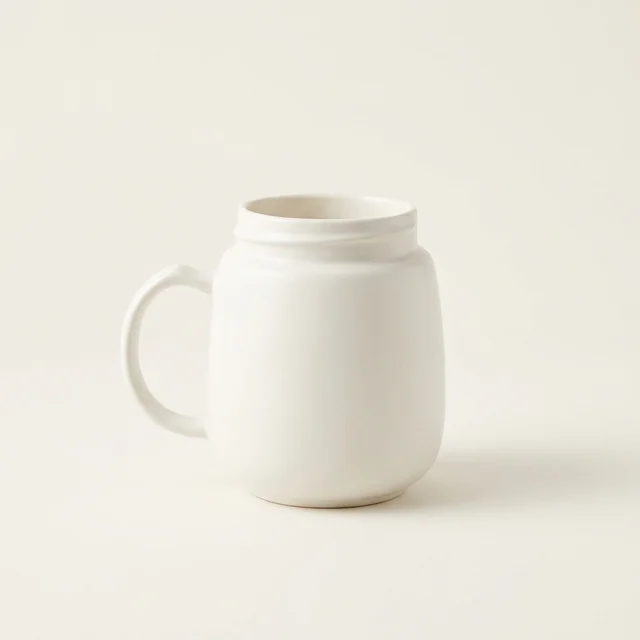
Studio generation example. This is not a result from the background-editing tool.
- Start with
- An existing image
- Create
- An AI-edited image with a new setting
Keep working from a photo you already have. Open the editor, upload your image and choose a background direction. White and gray studio settings keep the composition simple; marble, wood and gradients offer a different visual mood. Continue refining with written instructions when needed.
From idea to image
01
Upload your image
Use a PNG, JPEG or WebP image within the editor’s file-size limit. Choose a source where the subject is clear.
02
Choose a background
The editor opens on its tools panel with the white studio direction ready. Choose the preset you want to apply.
03
Review the edit
Inspect subject edges, labels and colors. Refine the image if needed, then download the result.
Make your next result better
- White studio is a generated setting, not a promise of a perfectly uniform marketplace-approved white.
- Background changes can also affect the subject. Compare important details with your original.
- This page is about replacing a background, not a promise of transparent PNG cutouts.
Questions, answered
Does this remove the background to transparency?
This workflow replaces the background with a new setting. It does not promise a transparent cutout.
Can I choose a different setting?
Yes. The editor offers background presets and supports written editing instructions for further changes.
Is the studio example a before-and-after edit?
No. It is a labeled Sowar-generated studio example showing a visual direction, not a demonstration of this background-editing operation.
A different starting point?
AI image generator
Turn a written description into images for personal projects, content and creative exploration.
AI product photography
Use a product reference photo to explore studio, lifestyle and styled scenes.
Bulk product image generation
Prepare up to five prompts and generate a batch with shared style and format settings.
