Product photo ideas for 2026: choose the scene your buyer needs
Choose a clear catalogue image, a use-context scene or a campaign photo, then test one idea without hiding product details or paying for aimless retries.
 Sowar team
Which photo idea should you try first?
Start with an unanswered question on the product page: what does the item look like on its own, where is it used, or how should it appear in a campaign? Choose one idea for that purpose and keep a clear real photograph as your review reference. You do not need six styles for every item.
These are practical options to try in 2026, not a ranking of market trends or measured sales results. If your current photos already explain the item, rearranging the gallery or adjusting a crop may be enough.
| Buyer need | Useful photo idea | What the image must not invent |
|---|---|---|
| See the mug clearly | A quiet background showing the handle and rim | A different colour or shape from the actual item |
| Picture a honey jar in use | A simple kitchen scene with props clearly separate from sold contents | Ingredients or utensils that appear to be included |
| Inspect a small electronic device | A real close-up of its ports, with an additional display scene if useful | Unverified ports, dimensions or operating capability |
| Understand a seasonal offer | Limited seasonal styling tied to the campaign dates | A price, discount or accessory absent from the actual offer |
Use the cover as a reference, not a recipe for every product
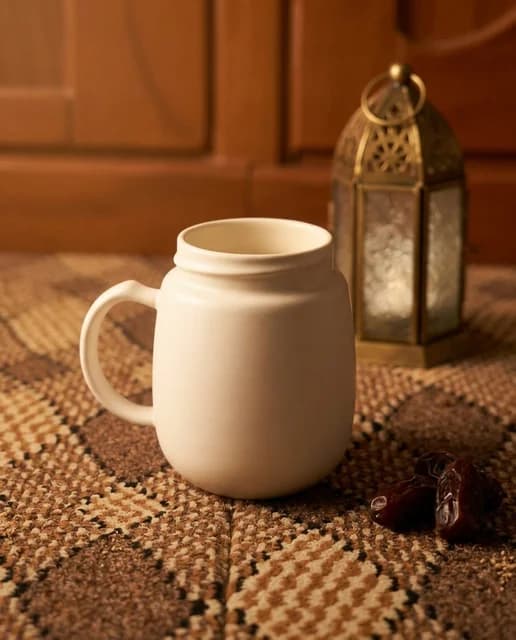
This guide’s cover shows a mug with a lantern and warm lighting from Sowar’s scene library. It illustrates a seasonal direction; it does not establish mug dimensions or the contents of an order. We did not generate it from your product or test its effect on sales.
Before using a similar direction, ask whether the lantern serves the occasion, takes space the product needs, or could be mistaken for part of a set. Without a clear reason for the decoration, try a simpler background.
Open a small mug-photo experiment brief
This is a planning example for your own document, not an experiment tool inside Sowar:
- Placement: an additional image on a cream ceramic mug’s product page.
- Question: are the handle and rim clear on a phone screen?
- Idea: a quiet surface with soft light, without text or extra utensils.
- Reject if: the colour or handle changes, or a lid appears that is not sold with the mug.
- Trial limit: one attempt first, after reviewing the cost shown in the app.
The brief guides your review; it cannot guarantee that generation preserves every detail. Use a documented measurement and a suitable real photograph when you need to establish capacity or size.
Prepare for the actual publishing placement
A square catalogue thumbnail, a vertical story and a wide campaign placement need different framing. Decide the destination before starting, then open its real publishing preview on a phone. Keep the whole product and the detail you chose to show visible.
For a portrait frame, follow the vertical-image guide. For a price or offer line, use the Arabic template-text guide rather than regenerating a scene just to change the words.
Keep an idea when it solves the problem
Compare the result with the original first, then with the published placement. Record why you accepted or rejected it, review time and actual attempt costs. An attractive background does not compensate for an altered product.
Later, review customer questions and page performance over a stated period, noting changes in price, offer and traffic sources. A short comparison or a sales change alone cannot establish that the photo caused the result. Use the cost-per-accepted-image guide to decide whether to expand the idea.
Once you know which image is missing, open Sowar with one product photograph you have the right to use. Review the current plans and in-app operation cost before continuing. Retain the original and accepted output; keep existing photos that already do their job.