Photograph pale products on light backgrounds without losing the edges
Prepare a cream mug or white charger image without making the product disappear into its background. Includes a scene brief and colour, edge and shadow checks.
 Sowar team
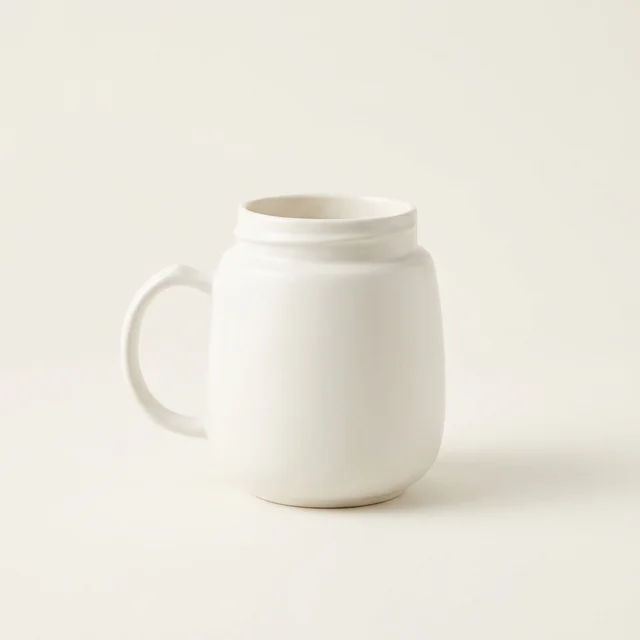
How do you make a white product visible without turning it grey?
Create separation with the background and lighting, not by changing the product colour. Start with a clear real reference, then try a slightly darker neutral background and a soft shadow underneath. Compare the result with the original: a white charger that has turned grey, or a mug with a missing rim, is not ready to publish just because the setting looks clean.
This is about showing the edges of the same product, not creating another colour variant. A cream mug, white soap dispenser or pale earbud case can all need that separation. Use a scene for presentation and keep a clear real photograph for details the buyer needs to inspect.
Check the source before changing its background
Enlarge the reference. Can you see the end of the handle, the opening and the seam between the lid and body? If those areas are a blank white patch in the source, take a clearer photograph first. Asking a model to “restore detail” can invent a shape rather than reveal the item you sell.
Place the actual item against a simple background that differs slightly from it, with soft light from the side. Avoid filters that whiten the surface or change its finish. Leave room around the item, including the plug or dispenser pump. These are steps for preparing your own reference, not camera controls Sowar adjusts for you.
Try one scene with a specific brief
In your Sowar workspace, open image generation and add the product reference. Choose a custom description and explain what should change in the setting, then which product details must remain consistent. Check the reference preview, choose the aspect ratio for your destination and review the displayed operation cost before generating.
Start with a neutral setting without props. A strongly coloured surface can make it harder to judge the product colour because of the apparent reflected light. Decorative objects and text do not solve disappearing edges.
A suggested brief for a cream mug
“Show the complete cream ceramic mug from the reference on a neutral light-grey surface. Use soft side lighting and a gentle shadow beneath the base to separate it from the surface. Keep the glaze colour, handle shape, opening and proportions consistent with the reference. Do not add artificial dark outlines, new gloss, text or objects beside the mug.”
This is a suggested brief to adapt, not the original prompt used for the cover or a guarantee of detail preservation. For a charger, replace the mug details with the plug shape, ports and markings visible in the charger reference.
| Product | What should remain visible | Reason to reject the result |
|---|---|---|
| Cream mug | Handle, rim and base in the original colour | A drawn black outline or glaze that becomes bright white |
| White charger | Body outline, actual plug shape and ports | An extra port or a plug that disappears into the background |
| Soap dispenser | Pump and seam between the lid and body | A transparent replacement pump or a matte surface made glossy |
Review the downloaded file at two sizes
Open the full-size download beside the reference. Follow the product outline, then check the gaps inside the handle, around the plug and beneath the pump. Look for cut-off parts, a halo or a shadow suggesting a base that does not exist. A clear outline is not enough if the shape itself changed.
Next, view it at thumbnail size on your phone. Can you distinguish the item without zooming? Check the actual product-page preview too, where the crop or surrounding background may differ. If the edges disappear, try a bounded revision to the setting or lighting rather than recolouring the item to make it easier to see.
If important details remain inaccurate, use the real photograph instead of generating repeatedly without a clear acceptance test. If your destination requires a white background, check its current requirements rather than assuming a grey one is acceptable.
Keep the version that shows the product as it is
Test one item before preparing the rest of your pale products. Record which version you accepted and why, and keep the original separately. For multiple colours, use the correct reference for each variant. When sending files to a designer, follow the approved-image handoff checklist.
The goal is an image in which a buyer can read the product’s edges and details. An attractive scene does not prove colour accuracy or guarantee more sales. Try one clear reference in Sowar, then decide whether the result is suitable before publishing it.