AI fabric photos: keep the real print and texture visible
Prepare fabric images that explain the print and weave. Learn when to use a Sowar scene and when to keep a real detail photo before publishing to Salla.
 Sowar team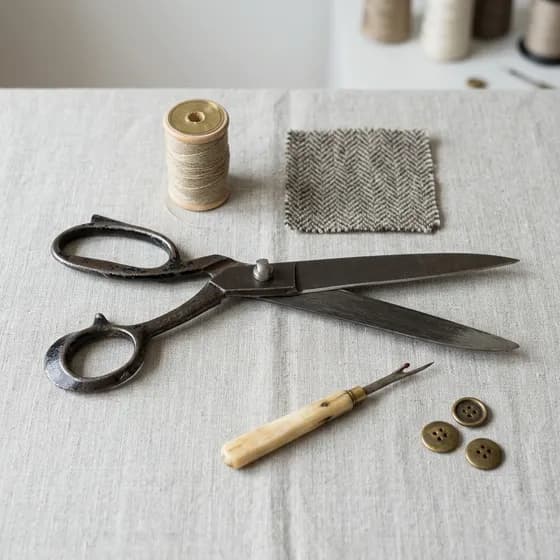
Show the real weave first, then add the scene
If a buyer asks, “Will the fabric arrive with the print and texture shown here?”, start with a real close-up of that fabric. Use Sowar to try a background or arrangement, then compare the result with the original. Reject a scene that changes the pattern repeat, visible threads or colour. A better-looking setting does not make a changed product accurate.
A sewing-table scene can help present the fabric. It cannot prove softness, thickness or opacity. Give the buyer a detail image they can inspect and a separate styling image that suggests a setting.
| Buyer question | What to show | What to write beside it |
|---|---|---|
| Is the print small or large? | A real flat photo showing one complete pattern repeat | The repeat's measured dimensions, with units |
| Is the weave smooth or raised? | A real close-up with light that reveals the surface | A texture description you have checked, rather than inferred from generation |
| How could I style it? | A reviewed scene that leaves the print visible | That the scene shows styling, and exactly what is sold |
Prepare a reference for each actual option
Lay a fabric sample flat without stretching it. Photograph it in consistent light without a filter that changes its colour. Take a wider view of the print and a close-up of the weave. Keep both originals for comparison, and use a separate reference for each colour or pattern you sell.
For a fictional striped fabric, check the stripe width, spacing and direction. A blue reference cannot document the beige option. Do not ask a model to invent the reverse side when you have not photographed it. If the print's size matters, measure the real fabric and write the measurement in the description; a generated ruler is not evidence.
State the sale unit as well: a linear metre or a precut piece, plus the verified fabric width. Folds in a scene do not explain how much material the customer will receive.
Try one restrained scene in Sowar
Start with a clear reference image or select the correct fabric product from your connected Salla catalogue. Check the option and source image before generating. Choose a neutral surface and quiet lighting, leaving enough flat fabric to see the print. Keep heavy folds, scissors and spools away from the detail you want to explain.
Open a brief to adapt to your fabric sample
“Show the fabric from the reference on a neutral surface. Preserve its colours, pattern arrangement and direction. Leave a clear flat area. Do not add threads, motifs, tools or text, or change the texture.”
This is a written test brief, not a generated result or a guarantee of detail preservation.
Check the operation cost shown in the app before starting. Review one result first. Repeated generation cannot turn an invented weave into an accurate description of the fabric.
Check the repeat before judging the background
Put the source and result beside each other. Start at an identifiable point: has a stripe disappeared, a flower appeared or the gap between motifs widened? Then inspect the folds. Have straight lines warped or visible threads become a smooth surface? Those changes alter the product, rather than improve its lighting.
Compare colour beside the original on the same display, recognising that buyers' screens and lighting will differ. This catches obvious shifts; it does not establish a colour match on every device. Keep a clear real photograph and written colour description. Consider a physical swatch if your store already offers that service.
Publish a gallery that works on a phone
After approval, download the image or publish it to the connected Salla product after matching the product and option. Combine the real flat view, weave close-up and reviewed scene. Several similar styling images should not displace the details a buyer needs.
Open the product page on a phone and select each colour. Does it show the correct image? Can the buyer inspect the print and read the sale unit without zooming into a picture? If the thumbnail hides the weave, use a closer detail view and a separate styling image.
Begin with one fabric that needs a clearer presentation. If the test preserves the print and helps explain it, move to the next option. Follow the Salla connection and publishing guide and the filename and alternative-text checklist before uploading the gallery.