AI food photos: are the props suggesting ingredients you do not sell?
Prepare a packaged-food scene without changing the label, ingredients or quantity buyers expect. Includes a sample brief and a practical review checklist.
 Sowar team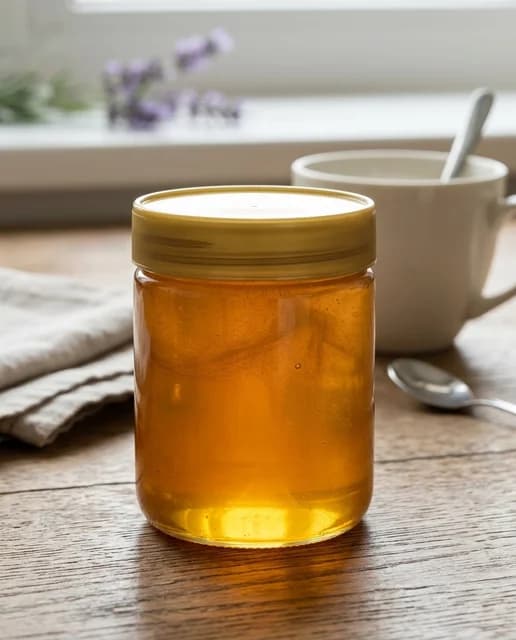
Show the product, not just an appetizing scene
Separate the food being sold from the props used to present it. Do not add pistachios to a plain biscuit photo simply because they look attractive, or make a single jar look like a breakfast bundle. Start with a photograph of the actual product and review the result before publishing. A good prompt does not guarantee that every detail will survive generation.
This applies to independent shops, agency campaigns and Salla stores. Sowar can help you try a different setting around a reference image. Checking the ingredients, packaging and advertised quantity remains your responsibility.
Write down what must not change
Check the real packaging, lid colour, label, stated size and number of items included. Keep the original photo and approved product information beside you. Do not ask the model to infer ingredients from appearance or reconstruct an unreadable label.
Split the brief into three parts:
- Product: the actual package and quantity being sold.
- Setting: a clean surface, lighting and background that leave the product visible.
- Exclusions: anything that could suggest an ingredient, gift or extra item absent from the offer.
An existing Sowar scene-library example, not a new result for this article or evidence that the mug is included. This jar has no visible label; review your actual product reference.
Plain biscuits should not become pistachio biscuits
Suppose you sell a package of plain biscuits. Pistachios beside it can suggest a flavour absent from the product description, even when the packaging remains accurate. Choose non-food styling, such as a simple surface and plain fabric, rather than decorative ingredients. The absence of nuts in a picture is not evidence that a product is nut-free: ingredient and allergen information must come from approved product information, not the scene.
The honey image above illustrates a serving prop only. It is not the biscuit example or a result of the brief below.
An illustrative brief for one trial
“Use the plain-biscuit package photo as the reference. Show the package alone on a light surface, against a quiet background with soft side lighting. Do not add nuts, fruit, chocolate or loose biscuits. Do not alter the label, stated weight or package colour. Keep the complete package inside the frame.”
This is an editorial example, not a generated result or a promise of exact lettering. If the label changes or the quantity becomes misleading, attractive lighting is not a reason to use the image.
Check four things before keeping the file
Swipe the table to read all three columns, or focus it and use the arrow keys.
| Signal | What to check | Decision |
|---|---|---|
| Added ingredients | Did nuts, fruit or sauce appear that the product does not contain? Revise the scene rather than hiding the mismatch behind vague copy. | Remove the misleading addition |
| Changed quantity | Did one item become two? Match the actual offer. | Match the item count |
| Packaging claims | Did a word or badge change? Compare with the original. Do not publish an invented food claim. | Reject invented claims |
| Misleading scale | Does a plate or utensil imply the wrong size? A scene is not evidence of weight; state the real product information in the description. | Use verified size information |
Open the downloaded file at full size to inspect the label, then at the small size a phone shopper will see. The product should remain clear in both. Keep the original photo: the generated version is not a source of packaging information.
When the original photo is the better choice
If an exact label or food texture is central to the purchase and scene changes keep distorting it, use the clear original. Keep a generated setting only when it helps buyers see the product without changing what they expect to receive. Approve one useful result before generating a larger set.
Start with a reference image you have permission to use. Review generation options and credit usage in the workspace before starting. Salla merchants install and subscribe through Salla’s app store.