Use accurate product photos to set clearer expectations
Audit return reasons and actual-item photos, separating shipping problems from unclear size and contents before approving a generated scene.
 Sowar team
Start with the return reason, not a prettier scene
If a buyer says an item was smaller than expected, review the dimensions and images together. If a mug arrived broken or the wrong colour was dispatched, start with packaging or fulfilment. Replacing a background cannot repair a shipping error, and a more attractive image is not evidence of fewer returns.
Choose one product with recurring, specific questions. Read recorded return reasons and customer messages. Separate appearance, size and contents concerns from damage, wrong-item dispatch and unknown reasons. Do not assign a reason the customer did not give.
Turn uncertainty into evidence you can check
Keep an original photograph of the actual item and each separately sold variant. Compare any generated scene against it before publishing, and keep dimensions, specifications and included contents in the product description. A generated scene adds context; it cannot establish an unverified measurement, material or performance claim.
- Mug: measure its actual capacity and dimensions, and show the handle opening in a real photograph. Another cup in a scene does not prove capacity or handle fit.
- USB hub: match the number and shape of ports to the actual model, retaining a real close-up. An image cannot establish port speed or charging capability.
- Honey or a gift set: state the sold contents and quantities. A spoon, mug or background decoration is not included unless the offer says so.
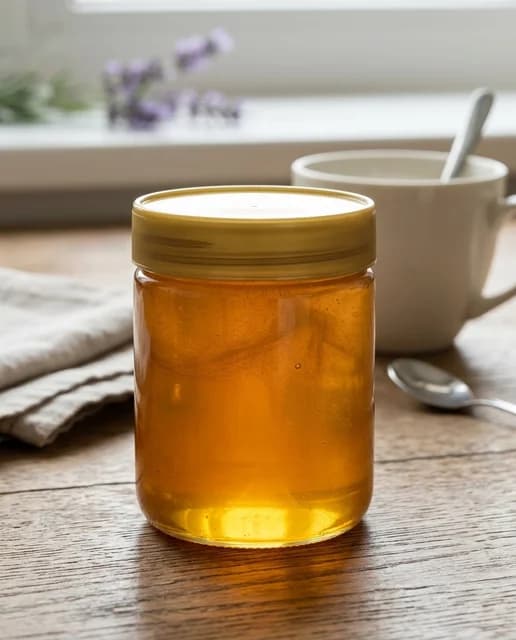
This guide’s cover is a generated example from Sowar’s scene library, not a customer order or before-and-after comparison. The mug and spoon beside the honey jar illustrate why scene decoration must be distinguished from order contents.
| Review | Accept when | Reject or request evidence when |
|---|---|---|
| Mug and handle | Shape matches the original; capacity and dimensions are documented on the page | The handle changed, or decoration alone is used to imply a definite size |
| USB hub ports | Port count and shapes match a real photograph of the model | A port was added or lost, or an unsupported speed is stated |
| Gift-set or food contents | Contents and quantities are written down; decoration is clearly distinguished | The scene implies extra included items or an invented label |
Publish the accepted version and record the change
In your own spreadsheet outside Sowar, record the product and variant, the question or return reason as received, original filename, accepted image, publication locations, change date and reviewer. This is an editorial review log suggested by this guide, not a Sowar logging or automatic audit feature.
Open the downloaded file and product page on a phone. Do colour, contents and written dimensions agree? Does the crop hide the handle or ports? Check every publication location rather than assuming a replacement in one place updates every copy.
Choose the next guide by the evidence you need
Mug measurements and handle fit · USB hub port photos · Food ingredients and scene decoration · Exact gift-set contents
Once you know what image is missing, try a supplemental scene for one product in Sowar and compare it with the original. Review current plans before expanding the work. Clearer presentation is a practical goal; fewer returns must be measured in your own store.